

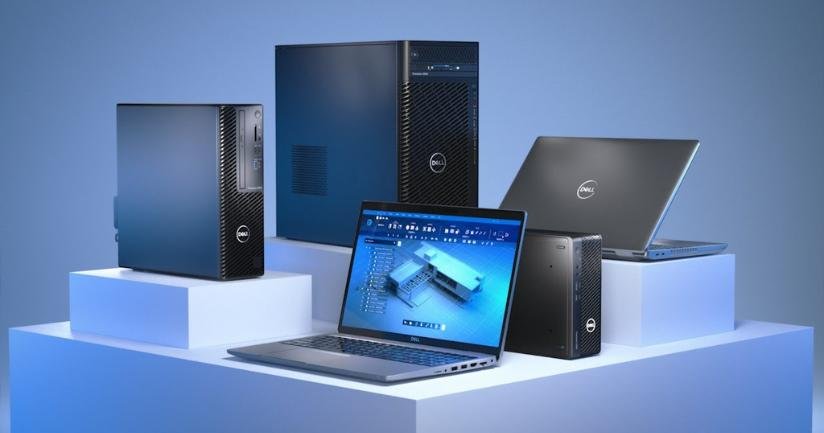



In today’s fast-paced digital world, creators, designers, and professionals need powerful workstation laptops to handle demanding tasks such as 3D rendering, video editing, CAD modeling, and AI-powered design work. A high-performance laptop must feature a top-tier CPU, high-end GPU, ample RAM, and fast storage to meet the needs of professionals working with Adobe Creative Suite, Blender, AutoCAD, DaVinci Resolve, and more.
With 2025’s latest innovations, workstation laptops are more powerful than ever, offering desktop-class performance in a portable form factor. In this blog, we’ll explore the best and most powerful workstation laptops for creators, designers, and engineers, highlighting their key specifications, performance capabilities, and why they stand out.
Before diving into our top picks, let’s break down the key specifications that creative professionals should consider when choosing a workstation laptop.
A high-performance CPU ensures fast processing speeds for complex tasks like 3D modeling, rendering, and video encoding. The best workstation laptops come with:
✅ Intel Core i9 (14th/15th Gen) or AMD Ryzen 9 9000 Series
✅ Apple M3 Max for Mac users
✅ Intel Xeon for enterprise-grade performance
A powerful GPU is necessary for graphics-intensive applications like 3D rendering, animation, and real-time video editing. The top GPUs include:
🎨 Nvidia RTX 4090/5090 (Laptop Version) – Ideal for Blender, Unreal Engine, and AI-based creative tools
🎥 AMD Radeon Pro & Nvidia RTX A-Series – For professional CAD, CGI, and architecture visualization
🍏 Apple M3 Max GPU – Optimized for Final Cut Pro & Logic Pro
More RAM (memory) helps in smooth multitasking and handling large files. A workstation laptop should have:
🛠 32GB RAM (minimum) for most creative tasks
🚀 64GB or 128GB RAM for heavy 3D work, VFX, and AI workflows
Fast storage ensures quick file access, seamless workflow, and reduced load times. Recommended options:
⚡ 1TB – 4TB NVMe SSD – For fast data access and video editing workflows
📀 RAID SSD Setup – For redundancy and increased speed
A workstation laptop should have a high-resolution display with accurate colors for precise work. Key display features:
🖥 4K OLED / Mini-LED – For stunning colors and deep contrast
🎨 100% Adobe RGB / DCI-P3 – Essential for photo and video editing
🔄 120Hz / 240Hz Refresh Rate – Great for smooth UI interactions
Why Choose This?
The M3 Max chip makes the MacBook Pro 16″ one of the most powerful laptops for video editing, music production, and creative workflows. Optimized for macOS applications like Final Cut Pro, Logic Pro, and Adobe Creative Suite, this laptop offers unmatched battery life and performance.
✅ Key Specs:
🚀 Best for: Filmmakers, video editors, music producers, and graphic designers.
Why Choose This?
The Dell Precision 7780 is a true workstation laptop, offering Intel Xeon processors and Nvidia RTX A5000 graphics—perfect for engineering simulations, 3D modeling, and CAD software.
✅ Key Specs:
🚀 Best for: Engineers, CAD designers, and architects.
Why Choose This?
The Asus ProArt Studiobook 16 is designed for content creators who need powerful rendering capabilities with Nvidia’s RTX 4090 GPU and Intel’s high-end processors. It also features an innovative ASUS Dial for precise creative control in apps like Photoshop and Premiere Pro.
✅ Key Specs:
🚀 Best for: Video editors, animators, and digital artists.
Why Choose This?
The Lenovo ThinkPad P16 Gen 2 is a powerhouse built for AI development, deep learning, and scientific simulations. It supports Intel’s Xeon processors, ECC memory, and Nvidia’s professional-grade GPUs.
✅ Key Specs:
🚀 Best for: AI researchers, scientists, and machine learning engineers.
Why Choose This?
The MSI Creator Z17 HX Studio is one of the most powerful Windows workstation laptops built for 4K video editing, VFX, and high-end animation.
✅ Key Specs:
🚀 Best for: Filmmakers, VFX artists, and animators.
The best workstation laptop depends on your specific needs:
💻 MacBook Pro M3 Max – Best for Mac users & video editors
🏗 Dell Precision 7780 – Ideal for engineers & 3D modelers
🎨 Asus ProArt Studiobook 16 – Perfect for content creators & animators
🤖 Lenovo ThinkPad P16 Gen 2 – Great for AI & machine learning
🎬 MSI Creator Z17 HX Studio – Best for 4K video editing & VFX