



Artificial intelligence is becoming an important part of the modern workplace. Employees are using AI for writing, research, data analysis, coding, presentations, customer communication, automation, and many other daily tasks. As AI applications become more common, the computers employees use are also evolving.
This has led to the growth of AI-powered laptops, often called AI PCs.
Unlike traditional laptops, newer AI-capable devices may include dedicated hardware designed to handle certain AI workloads more efficiently. Depending on the device and software, AI processing can use the CPU, GPU, and a specialized component known as an NPU, or Neural Processing Unit.
For businesses, the potential benefit is not simply having a new type of laptop. The real opportunity is to help employees work faster, automate repetitive tasks, improve collaboration, and support AI-enabled applications.
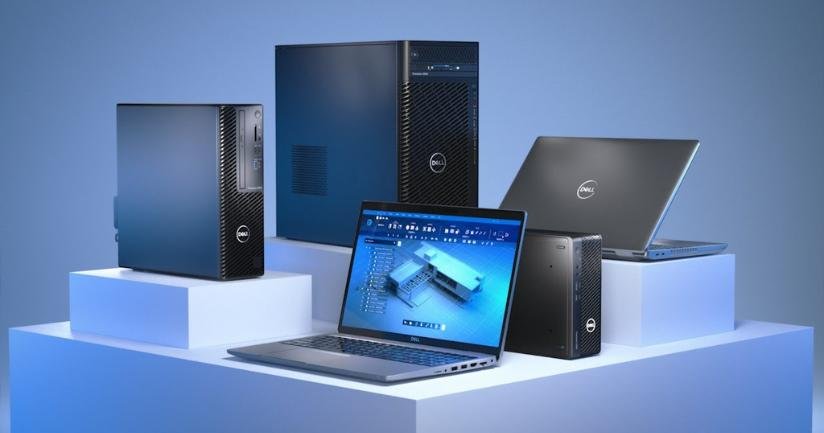
For companies planning their IT infrastructure, Rental Plaza provides flexible options for laptop rental, bulk laptop rental, high-performance laptops, workstations, and enterprise IT equipment across India.
An AI-powered laptop is a computer designed to support artificial intelligence workloads.
Traditional laptops primarily depend on the CPU and, in some cases, the GPU for processing demanding tasks. AI-powered laptops can also include an NPU, which is designed to handle certain AI-related workloads efficiently.
The combination of CPU, GPU, and NPU can allow workloads to be distributed depending on the task.
For example:
This does not mean every task automatically becomes faster simply because a laptop is called an AI PC. The actual benefits depend on whether the operating system and applications support the available AI hardware.
However, as more workplace applications introduce AI features, AI-capable hardware may become increasingly relevant for businesses planning future device upgrades.
One of the biggest ways AI can improve productivity is by reducing repetitive work.
Employees often spend significant time performing routine tasks such as:
AI tools can assist employees with some of these tasks.
For example, an employee may use AI to create a first draft of a document and then review and edit it. A manager may use AI features to summarize long meeting notes. A sales professional may use AI to prepare a starting point for customer communication.
The goal is not necessarily to replace employees. Instead, AI can help reduce the amount of time spent on repetitive activities so employees can focus on decision-making, creativity, customer relationships, and other higher-value work.
Video meetings are now a normal part of business communication.
Employees regularly use platforms such as Zoom, Microsoft Teams, and other collaboration tools. AI features are increasingly being added to these applications.
Depending on the platform and available features, AI can help with:
Some AI-powered laptops may be able to process supported features locally using dedicated hardware.
This can potentially improve efficiency and reduce the need for every AI-related workload to depend entirely on the CPU or GPU.
For employees who spend several hours every day in online meetings, these features can improve the overall collaboration experience.
Modern employees rarely use only one application at a time.
A typical employee may simultaneously use:
This creates a growing demand for laptop performance.
AI-powered laptops can combine modern processors, sufficient RAM, fast SSD storage, and specialized AI capabilities. When software is designed to use this hardware effectively, workloads can be handled more efficiently.
However, businesses should not choose an AI laptop based only on the “AI” label.
RAM, processor performance, storage, battery life, display quality, and software requirements are still extremely important.
An employee working with large datasets, for example, may need more RAM. A software developer may need stronger CPU performance. An AI engineer may require a powerful GPU or workstation rather than a standard AI laptop.
The right device should always be selected according to the actual workload.
Software developers are already using AI-powered tools to support their work.
AI can assist with tasks such as:
These tools can help developers reduce time spent on repetitive coding tasks.
However, developers still need to review, test, secure, and understand AI-generated output.
For development teams, laptop requirements may include:
Companies should choose developer laptops based on their actual technology stack rather than assuming that every AI-powered laptop is suitable for software development.
For high-performance development environments, businesses may also require workstation or GPU-based systems.
AI can also support employees who are not working in technical roles.
Sales and marketing teams may use AI to assist with:
For example, a salesperson can use AI to prepare a draft follow-up email after a customer meeting. A marketing employee can generate multiple campaign ideas before selecting and refining the strongest concept.
This can reduce the time required to start a task.
However, employees should always review AI-generated content before sending it to customers or publishing it. AI can assist with productivity, but human review remains important for accuracy, brand consistency, privacy, and quality.
AI-powered features can also support accessibility and workplace inclusion.
Depending on the software and device, employees may benefit from features such as:
These features can help employees interact with information and communication tools in different ways.
For global organizations and distributed teams, language-related AI features may also help employees communicate more efficiently.
As AI capabilities become more integrated into workplace software, accessibility features may become an increasingly important consideration when choosing employee devices.
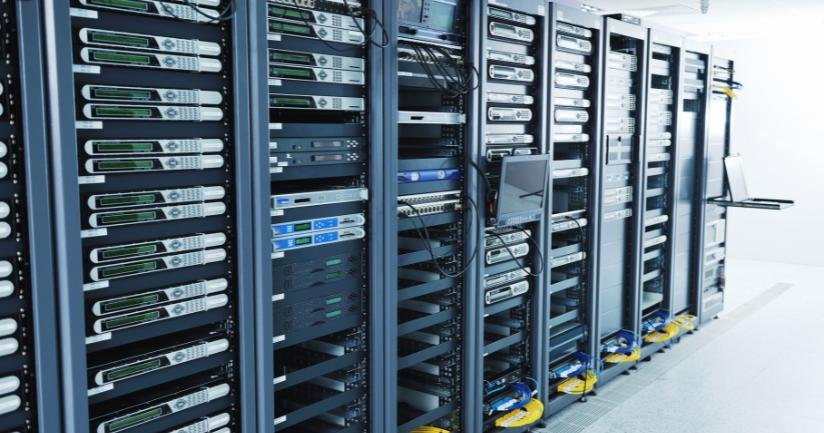
Traditionally, many AI applications have relied heavily on cloud computing. A request is sent to remote servers, processed, and then returned to the user.
AI-capable devices can also support certain workloads locally on the laptop.
Potential benefits of local processing may include:
However, businesses should understand that local AI does not automatically solve every privacy or security issue.
The security of an AI workflow depends on the application, data policies, access controls, device management, and how information is processed.
Companies handling sensitive information should carefully review which AI tools employees are allowed to use.
The productivity benefits of AI often come from saving small amounts of time across many daily activities.
Consider an employee who spends time every day:
If AI tools help reduce the time required for some of these activities, the total time saved over a week or month can become significant.
For example, AI may help an employee:
The employee can then focus on reviewing, improving, and making decisions.
The best use of AI is often as a productivity assistant rather than a replacement for human judgment.
Companies generally keep laptops for several years. This means a laptop purchase or rental decision made today may affect employees for a significant period.
Business software is increasingly adding AI features, including:
As these features become more common, older laptops may not always provide the same experience as newer devices.
For companies planning a device refresh, it can be useful to consider whether AI capabilities should be part of the evaluation process.
This does not mean every employee immediately needs the most advanced AI laptop.
Instead, businesses can identify which roles are most likely to benefit.
Different employees have different technology requirements.
Employees working with documents, email, presentations, and research may benefit from AI assistants and productivity features.
AI can help with communication drafts, research, summaries, and preparation.
Employees can use AI to support content creation, brainstorming, research, and campaign planning.
AI tools can assist with meeting summaries, information analysis, and report preparation.
AI-assisted coding tools can support development, testing, documentation, and code analysis.
These teams may require more powerful systems, including high-performance laptops, GPU workstations, or specialized infrastructure.
A company should avoid assuming that every employee needs identical hardware.
A role-based device strategy can provide better value and performance.
Remote and hybrid work environments depend heavily on technology.
Employees need reliable devices for:
AI-powered features may improve some of these experiences.
For example, supported applications may offer noise cancellation, background effects, automatic transcription, or intelligent meeting summaries.
These features can be particularly useful for employees working from home, shared workspaces, or busy environments.
For businesses with employees across multiple cities, choosing standardized devices can also make IT management easier.
Businesses should not select laptops based only on marketing terms.
Before purchasing or renting AI-powered laptops, companies should evaluate:
What applications and tasks will employees perform?
Do the company’s existing applications support the hardware and AI features?
AI capabilities do not replace the need for sufficient memory and fast storage.
The CPU remains important for general computing workloads.
Some technical and AI workloads may require dedicated GPU performance.
Mobile employees may prioritize battery performance.
Companies should establish clear policies for AI applications and data usage.
Consider how the device strategy will work as the company grows.
A company may start by testing AI-capable laptops with selected employees before deploying them across the entire organization.
Technology requirements can change quickly.
A company may want to test AI-capable laptops with a development team before committing to a large purchase. Another organization may need high-performance devices for a short-term AI project.
In these situations, laptop rental can provide flexibility.
Businesses may require:
Instead of purchasing every device immediately, companies can evaluate hardware requirements based on workforce size and project duration.
For businesses looking for flexible enterprise technology, Rental Plaza provides options for corporate laptop rental, bulk laptop rental, MacBook rental, workstation rental, GPU systems, and enterprise IT equipment rental across India.
Adopting AI laptops should be part of a broader workplace technology strategy.
Companies can begin with a simple process:
Determine where AI can genuinely save employee time.
Start with teams that are most likely to benefit.
Evaluate whether the selected devices and applications work effectively together.
Define which AI tools employees can use and what company information should not be shared.
Employees need to understand how to use AI tools effectively and responsibly.
Track whether the technology is actually improving workflows.
This approach can help companies avoid purchasing technology simply because it is trending.
AI-powered laptops have the potential to improve employee productivity by supporting AI-enabled applications, automating repetitive tasks, improving video collaboration, assisting with content creation, supporting developers, and enabling new ways of working.
The real value, however, comes from combining the right hardware with useful software and clearly defined employee workflows.
An AI PC alone will not automatically make every employee more productive. Businesses should first understand how employees work, identify repetitive tasks, evaluate AI tools, and then select devices that match those requirements.
For some employees, a standard business laptop may still be the right choice. For developers, analysts, creative professionals, and AI teams, higher-performance laptops or GPU workstations may be more appropriate.
As AI becomes a bigger part of everyday work, companies that plan their technology infrastructure carefully can give employees the tools they need without overinvesting in unnecessary hardware.
For businesses planning an AI-ready workplace, Rental Plaza supports corporate laptop rental, bulk laptop rental, high-performance laptops, MacBook rental, workstation rental, GPU systems, and enterprise IT equipment rental across India—helping companies arrange technology according to employee roles, project requirements, and business growth.