




Rapid hiring is a positive sign for any growing company. New employees mean new opportunities, larger teams, and potentially faster business growth. But rapid expansion also creates an immediate challenge for IT teams: how do you provide every new employee with the right technology, on time, and without creating chaos?
When a company hires 20, 50, 100, or even hundreds of employees within a short period, IT equipment requirements can increase dramatically. Laptops, desktops, monitors, accessories, software, user accounts, security configurations, and network access all need to be prepared.
Without a proper process, new employees may arrive on their first day without a laptop, receive inconsistent hardware, or wait several days before they can start productive work.
A scalable IT equipment strategy helps businesses avoid these problems. Modern enterprise device management also emphasizes standardization, onboarding, lifecycle management, refresh, reassignment, and retirement as connected stages of device management.
Hiring employees is usually handled by HR, but every new employee creates technology requirements for the IT department.
Consider a company planning to hire 100 employees over the next two months.
IT may suddenly need to arrange:
If these activities are managed manually and without advance planning, IT teams can quickly become overloaded.
The goal should not simply be “get a laptop for every employee.”
The goal should be:
“Have every employee’s complete IT setup ready when they need it.”
The first step is to connect the hiring plan with the IT equipment plan.
HR and IT should communicate regularly about upcoming hiring.
The IT team should know:
For example, a sales employee and a software developer may have completely different hardware requirements.
Instead of ordering identical devices for everyone, create equipment categories based on job roles.
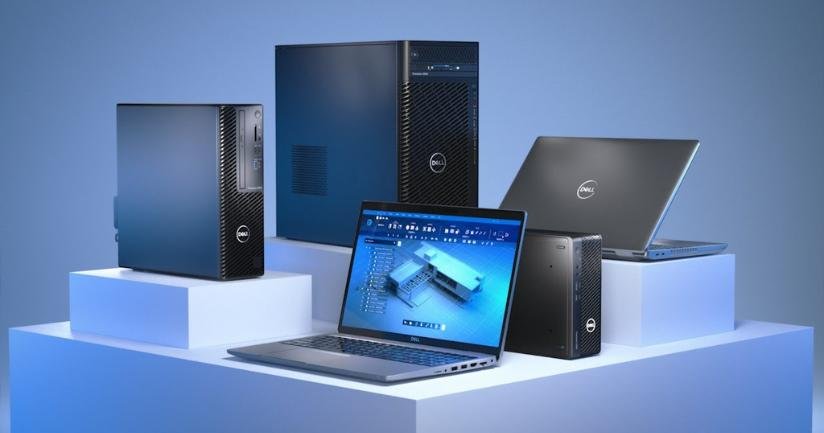
Office Employee: Standard business laptop
Developer: Higher-performance laptop with additional memory
Designer: High-performance laptop, MacBook, or workstation
Data/AI Team: High-performance workstation or GPU infrastructure where required
This approach helps prevent both underpowered devices and unnecessary spending.
Rapid hiring is not the ideal time to evaluate dozens of laptop models individually.
Companies should establish standard configurations before hiring accelerates.
For example:
Designed for email, office applications, browser-based tools, video meetings, and general business work.
Designed for developers, analysts, engineers, or employees using more demanding applications.
Designed for video editing, 3D applications, design, engineering, or other demanding workloads.
Standardization makes procurement, deployment, troubleshooting, replacement, and employee support easier.
NIST recommends maintaining accurate asset information, including unique identifiers and hardware details, as part of effective asset management.
Before ordering more devices, determine what the company already has.
A centralized inventory should show:
For each device, record:
NIST notes that IT asset management can provide a broader picture of what assets exist, where they are, and how they are being used.
This visibility becomes extremely valuable during rapid hiring.
Companies that know they will be hiring rapidly should avoid operating with exactly zero spare devices.
Suppose 30 employees are joining next month.
If the company owns exactly 30 available laptops, there is no flexibility if:
Maintaining an appropriate deployment buffer gives IT teams more flexibility.
The size of the buffer should depend on the organization’s hiring rate, device failure rate, locations, and business requirements.
One of the biggest mistakes during rapid hiring is waiting until an employee joins before preparing their laptop.
Where practical, devices should be prepared in advance.
The preparation process can include:
This creates a ready-to-deploy device.
Microsoft’s current enterprise device-management approach similarly describes device readiness as a lifecycle spanning planning, acquisition, onboarding, operation, optimization, refresh/reassignment, and retirement.
HR should ideally provide IT with employee information before the joining date.
A simple IT onboarding checklist can include:
Employee Name
Department
Job Role
Joining Date
Location
Manager
Device Type
Software Requirements
Accessories Required
Security/Access Requirements
This information allows IT teams to prepare the right equipment instead of making decisions at the last minute.
When an employee receives a laptop, the handover should be recorded.
The record can include:
This creates accountability and makes future asset recovery easier.
It also means the company can quickly identify who currently has a specific laptop.
Manual configuration becomes difficult when hundreds of employees are joining.
If IT staff have to configure every laptop individually, deployment can take significant time.
Companies should evaluate appropriate device-management and automation capabilities for tasks such as:
Automation can help create a more consistent deployment process.
NIST’s ITAM guidance describes automated approaches as a way to improve visibility, deployment, reporting, and security management across an organization’s technology environment.
A laptop alone may not provide a complete working environment.
Depending on the employee’s role, the IT checklist may include:
If a new employee receives a laptop but cannot connect to their office monitor or participate in meetings, the device deployment is technically complete but operationally incomplete.
Therefore, IT should manage the complete equipment package, not just the primary device.
Rapid hiring requires coordination between multiple departments.
Provides hiring forecasts and employee information.
Determines technical requirements and prepares devices.
Orders or sources equipment.
Manages budgets and purchasing approvals.
Coordinates desks, monitors, network connections, and office setup.
When these teams operate independently, delays become more likely.
A shared onboarding workflow can help everyone understand what needs to happen and when.
Rapid hiring may involve employees joining from multiple locations.
A company might hire people in:
This creates additional logistical requirements.
IT teams need to coordinate device delivery, setup, asset assignment, support, and recovery across locations.
A centralized asset system becomes especially useful because management can see equipment by employee and location.
NIST notes that geographically distributed environments and third-party or temporary workers can add complexity to tracking and managing IT hardware and software.
Rapid hiring does not always mean the company needs to permanently purchase every device.
Some hiring requirements may be temporary.
For example, a company might hire employees for:
Purchasing hundreds of devices for a temporary requirement can create unnecessary capital expenditure and leave the company with excess hardware after the project ends.
In such situations, companies can consider IT equipment rental.
Businesses can rent laptops, desktops, MacBooks, workstations, servers, and other equipment based on project requirements and deployment needs.
For companies looking for flexible business IT equipment, Rental Plaza provides rental solutions for laptops, desktops, MacBooks, workstations, servers, and other IT equipment.
Rapid hiring does not eliminate existing IT problems.
At the same time new employees are joining, existing laptops may require repairs or replacements.
Therefore, companies should maintain visibility into:
A spare pool can help IT teams replace a failed device quickly rather than making an employee wait for a new purchase.
Speed should never mean ignoring security.
Every newly deployed device should receive the organization’s appropriate security configuration before being handed to an employee.
Depending on the company’s environment, this may include:
Asset visibility is an important part of security because organizations need to know what devices exist and how they are configured. NIST specifically connects asset management with improved visibility and the ability to identify vulnerable systems.
During rapid hiring, the IT dashboard should answer questions such as:
How many laptops are available?
How many are assigned?
How many employees are joining this month?
How many devices are ready?
How many are being prepared?
Which devices are being shipped?
Which devices are under repair?
Which employees have not yet received equipment?
This information allows IT managers to identify bottlenecks before they affect employees.
Rapid hiring eventually leads to employee movement and departures.
The same asset management system used during onboarding should support offboarding.
When an employee leaves:
This creates a circular lifecycle:
Deploy → Use → Recover → Refresh → Redeploy
Rather than:
Deploy → Use → Forget
Before a new employee joins, ask:
☐ Has the employee’s role been confirmed?
☐ Has the required device been selected?
☐ Is the equipment available?
☐ Has the asset been tagged?
☐ Has the device been configured?
☐ Are required applications installed?
☐ Are security settings applied?
☐ Are accessories ready?
☐ Has the asset been assigned?
☐ Is the device ready on or before the joining date?
☐ Is the handover documented?
☐ Is the device included in the central inventory?
This checklist can be adapted to the company’s size and IT environment.
Rapid hiring can put significant pressure on IT departments, but the challenge becomes much easier when equipment deployment is treated as a structured business process.
The key is to forecast requirements, standardize hardware, maintain accurate inventory, prepare devices before joining dates, automate repetitive tasks, coordinate HR and procurement, track assets, and plan for the complete device lifecycle.
NIST emphasizes that organizations need visibility into their assets to manage technology effectively and reduce security risks.
For companies experiencing rapid growth, flexibility is equally important. Not every IT requirement is permanent, and rental can be a practical option for temporary teams, project-based hiring, training programs, and sudden workforce expansion.
Ultimately, successful IT onboarding means that employees should spend their first day working—not waiting for their laptop.