




Artificial intelligence, machine learning, and data science are becoming important parts of business operations. Companies are using data-driven systems to automate processes, improve customer experiences, forecast demand, develop products, and support decision-making.
As these projects become more complex, teams may require more computing power than standard business laptops can provide. Graphics processing units (GPUs) can accelerate many parallel computing tasks, making them useful for activities such as machine learning model training, deep learning, data processing, and AI application development.
However, building GPU infrastructure requires careful planning. Companies need to understand their workloads, estimate computing requirements, select suitable hardware, manage costs, and prepare for future growth. Investing in powerful systems without a clear plan can lead to underused equipment, performance limitations, or unnecessary expenses.
This guide explains how growing companies can plan GPU infrastructure for AI, machine learning, and data science teams.
Traditional computer processors, or CPUs, are designed to handle a wide range of general computing tasks. GPUs are designed to perform many operations in parallel, which can make them useful for workloads involving large numbers of similar calculations.
AI and machine learning applications often perform mathematical operations across large datasets. Depending on the workload and software, GPUs can accelerate these operations and reduce processing time.
GPU infrastructure may support:
Training machine learning models
Deep learning experiments
Computer vision applications
Natural language processing
AI model development and testing
Data science experimentation
Scientific computing
AI-powered product development
Not every data or AI task requires a GPU. Data cleaning, reporting, database queries, and many traditional analytics workloads may run effectively on CPUs. Companies should identify where GPU acceleration provides meaningful benefits before investing in specialized systems.
The first step in GPU planning is understanding what the team will actually do.
A company may have data analysts, data scientists, machine learning engineers, AI researchers, and software developers. Their computing requirements can differ significantly.
For example, a data analyst working with dashboards and business reports may not need a dedicated GPU. A machine learning engineer training deep learning models may require access to a GPU workstation or server.
Companies should document the following:
Applications and frameworks the team uses
Dataset size and complexity
Model types and expected workloads
Whether tasks involve training, inference, or experimentation
Number of users requiring GPU access
Expected workload frequency
Performance and turnaround-time requirements
This assessment helps distinguish between everyday computing requirements and specialized GPU workloads.
AI projects usually involve different stages, and each stage can have different infrastructure needs.
During development, teams may test code, prepare datasets, compare models, and run smaller experiments. Some work can be completed on standard computers, while more demanding experiments may require a GPU.
Training can require substantial computing resources, depending on the model, dataset, and training method. Larger workloads may benefit from GPU servers or cloud-based GPU environments.
Inference means using a trained model to generate predictions or outputs. Requirements depend on the model size, number of users, response-time expectations, and workload volume.
A company should not assume that the hardware used for model training is automatically the right choice for production inference.
Separating these stages helps IT teams plan resources according to actual usage rather than purchasing one large system for every task.
GPU workstations and GPU servers serve different purposes. The right option depends on how teams work and how computing resources need to be shared.
A GPU workstation is generally designed for an individual user or a small number of users working directly with a high-performance system.
Workstations may be suitable for:
Individual AI developers
Data scientists running local experiments
Computer vision development
Graphics-intensive applications
Engineering and simulation workloads
Small project teams
A workstation can provide dedicated resources and a familiar desktop development environment.
GPU servers are designed to provide computing resources to multiple users, applications, or workloads. They may be installed in a data centre or accessed remotely.
GPU servers can be suitable for:
Shared model training
Centralized AI development
Multiple concurrent workloads
Team-based experimentation
Production or internal AI services
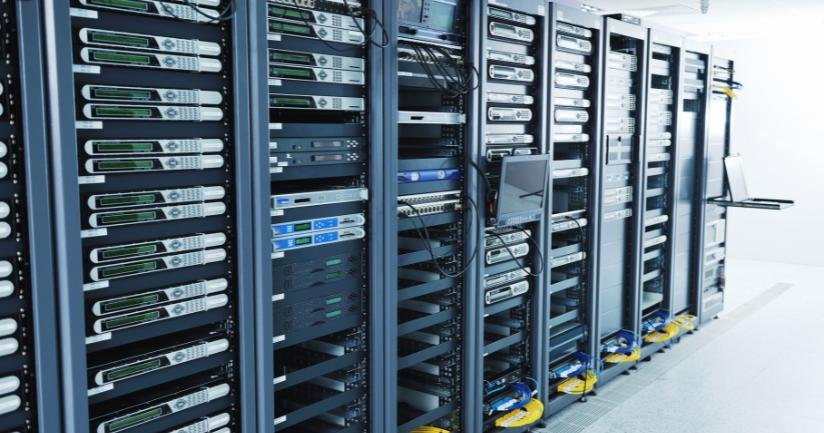
Servers may require additional planning for power, cooling, networking, storage, security, and system administration.
For some companies, a combination of workstations and shared GPU servers may provide the right balance.
GPU selection should not be based on the model name alone. Teams should evaluate the requirements of their applications and datasets.
One important consideration is GPU memory, often called VRAM. The amount of memory required depends on factors such as model size, input data, batch size, precision, and training method.
If a workload exceeds the available GPU memory, it may run slowly, require adjustments, or fail to execute.
Other factors to evaluate include:
GPU computing performance
GPU memory capacity
Memory bandwidth
Supported software and frameworks
Compatibility with existing systems
Power consumption
Cooling requirements
Availability and service support
The best configuration for one workload may not be suitable for another. IT teams should test representative workloads before standardizing hardware across the organization.
A powerful GPU cannot compensate for every limitation in the rest of the system.
AI workloads also depend on the CPU, system memory, storage, and data pipeline. If these components cannot supply data quickly enough, the GPU may remain underutilized.
The CPU manages general system operations, data preparation, and other tasks that support GPU processing. The required CPU capacity depends on the workload and how data is prepared.
Sufficient RAM helps teams work with datasets, development tools, and multiple applications. Large datasets or complex preprocessing tasks may require more memory.
Fast storage can help load datasets, manage model files, and support repeated experimentation. Companies should consider capacity, speed, backup, and data access requirements.
Data preparation can become a bottleneck in machine learning projects. Teams should evaluate how data is collected, cleaned, transformed, and delivered to computing resources.
Infrastructure planning should therefore consider the complete system rather than focusing only on the GPU.
Companies can access GPU computing through local workstations, on-premises servers, cloud services, or a combination of these options.
Each model has different cost and operational considerations.
Local GPU infrastructure may be suitable when workloads are frequent, resources are used consistently, or the company requires direct control over its computing environment.
However, the company must plan for hardware procurement, installation, power, cooling, maintenance, security, and future upgrades.
Cloud-based GPU resources can provide access to computing capacity without requiring the company to purchase and operate all the underlying hardware.
Cloud resources may be useful for temporary experiments, variable workloads, or projects that require additional capacity for a limited period.
Companies should monitor usage, storage, data transfer, and service costs. Cloud resources can become expensive if workloads run continuously without proper controls.
A hybrid model combines local systems with cloud resources. For example, a company may use GPU workstations for daily development and cloud GPUs for large training jobs.
This approach can provide flexibility, but it requires clear policies for data access, workload placement, security, and cost management.
GPU infrastructure planning should include an estimate of how many people need access to computing resources and how often they use them.
A team of 20 employees does not necessarily require 20 dedicated GPU systems. Some employees may need GPUs only occasionally, while others may run demanding workloads throughout the day.
Companies should assess:
Number of users
Number of simultaneous workloads
Average job duration
Peak usage periods
Required turnaround times
Project deadlines
Expected hiring
Availability requirements
A small pilot can help measure actual demand before the company commits to a large deployment.
For example, a team may begin with a few GPU workstations or shared GPU resources, then expand when utilization and project needs become clearer.
AI and machine learning projects often change as teams experiment with new models, datasets, and applications.
A company may need high-performance systems for a pilot, a short-term research project, a customer demonstration, or a temporary development team. After the project ends, the same hardware may no longer be required.
Flexible equipment arrangements can be considered when the duration or scale of the requirement is uncertain.
Before selecting a solution, companies should confirm:
Required GPU and memory specifications
Number of systems
Project duration
Software compatibility
Delivery and setup requirements
Support and replacement arrangements
Data security requirements
For businesses evaluating GPU workstations, servers, and other corporate computing equipment, Rental Plaza’s enterprise solutions can be explored as part of the infrastructure planning process.
The appropriate arrangement depends on availability, workload requirements, and commercial terms.
AI and data science teams may work with confidential company information, customer records, proprietary code, or sensitive datasets.
GPU infrastructure should therefore follow the company’s security and data governance policies.
Important considerations include:
User authentication
Role-based access control
Secure remote access
Endpoint and server protection
Software updates
Data encryption where appropriate
Network segmentation
Data backup and recovery
Monitoring and audit records
Secure device return or retirement
Companies should also establish rules for moving datasets between local systems and cloud environments.
Where multiple teams share GPU servers, access controls should ensure that users can access only the resources and data they are authorized to use.
High-performance GPU systems can require more power and cooling than standard office computers.
Before installing GPU workstations or servers, companies should confirm that the physical environment can support the equipment.
Planning may include:
Available electrical capacity
Power backup requirements
Cooling and ventilation
Equipment placement
Network connectivity
Noise considerations for office workstations
Rack space for servers
Maintenance access
These requirements become particularly important when deploying multiple high-performance systems in one office or technical lab.
For larger deployments, companies should evaluate the physical infrastructure before equipment delivery to avoid installation delays.
GPU infrastructure needs ongoing management after deployment.
IT teams should monitor system performance, utilization, temperatures, storage capacity, software health, and hardware issues. Monitoring helps identify bottlenecks and determine whether resources are being used effectively.
A support plan should define how users report issues, who manages the systems, and how repairs or replacements are handled.
For companies operating across multiple locations, support coordination may require additional planning. A documented enterprise support SLA can help establish expectations for service coordination and equipment-related support.
Companies should also maintain asset records for workstations, servers, GPUs, and related components.
After deployment, companies should regularly review whether their GPU infrastructure is meeting business requirements.
Useful measures include:
GPU utilization
Job completion time
Queue or waiting time
System availability
Cost per project or workload
Cloud resource consumption
Power and cooling requirements
User feedback
Unused or underused capacity
If GPUs remain idle for long periods, the company may need to reconsider how resources are allocated. If teams frequently wait for computing capacity, additional resources or better scheduling may be required.
The goal is to align infrastructure capacity with actual workload demand.
A growing company should build a roadmap that supports both current projects and future expansion.
The roadmap can include:
Phase 1: Assess requirements. Identify workloads, applications, users, data, and performance expectations.
Phase 2: Test infrastructure. Run representative workloads on selected systems or cloud resources.
Phase 3: Deploy initial capacity. Provide the equipment and computing resources required for current projects.
Phase 4: Monitor usage. Review performance, utilization, costs, and support requirements.
Phase 5: Expand based on evidence. Add GPUs, workstations, servers, or cloud capacity when actual demand justifies it.
This staged approach can help businesses avoid overinvesting before their AI and data science workloads are fully understood.