




Opening a new office in India is an important step for international companies planning to expand their operations, establish a Global Capability Centre (GCC), build an offshore development team or strengthen their presence in the Indian market. Along with office space, recruitment and business registration, companies must plan their IT infrastructure well before employees begin working.
A properly prepared IT environment helps businesses start operations smoothly, maintain productivity and avoid unnecessary delays during employee onboarding. It also ensures that employees have access to the computing equipment, software, connectivity and security systems required for their roles.
For companies entering India in 2027, IT infrastructure planning should go beyond purchasing laptops and setting up an internet connection. Businesses need a coordinated approach covering hardware deployment, networking, cybersecurity, servers, asset management, technical support and future expansion.
This checklist explains the essential IT infrastructure requirements international companies should consider before opening a new office in India.
The first step is to understand how the new office will operate. IT requirements can vary significantly depending on the company’s industry, workforce size, business functions and technology environment.
For example, a software development centre may require high-performance laptops, additional monitors, development tools and specialized computing infrastructure. A consulting office may need standardized business laptops, secure communication systems and reliable video conferencing facilities.
Before finalizing equipment requirements, assess:
Create a detailed IT requirements document that identifies the equipment, software and infrastructure required for each department.
This planning stage helps international companies avoid last-minute procurement decisions and ensures that the infrastructure aligns with operational requirements.
Computing devices are among the most important components of a new office’s IT infrastructure. Employees need properly configured systems before their joining dates so that they can begin working without unnecessary technical delays.
Companies should prepare a hardware deployment plan based on job responsibilities rather than assigning the same configuration to every employee.
For example:
A deployment plan should also specify screen sizes, RAM, SSD capacity, processor requirements, operating systems, accessories and peripheral devices.
For larger teams, standardized hardware configurations simplify technical support, software management and future replacement planning.
International companies can explore centralized enterprise hardware arrangements through Rental Plaza’s enterprise solutions for coordinated corporate laptop and desktop requirements across India.
One of the biggest challenges when opening a new office is ensuring that equipment is ready before employees join.
Recruitment and infrastructure preparation should follow a coordinated schedule. If a company plans to onboard 100 employees over several weeks, the IT department should know the expected joining dates, job roles and device requirements in advance.
A structured onboarding deployment plan should include:
For larger deployments, companies should consider phased delivery instead of arranging all equipment at the last moment.
For example, an organization onboarding 300 employees across multiple departments can divide the deployment into three phases of 100 devices each. This approach allows the IT team to verify configurations, coordinate handovers and manage deployment more effectively.
The availability of equipment should be confirmed in advance, particularly when specialized workstations or high-performance systems are required.
A new office requires a dependable networking environment to support daily business operations. Employees need secure and consistent access to internal applications, cloud platforms, communication tools and corporate resources.
Before the office becomes operational, evaluate the networking infrastructure and confirm that it can support the expected number of connected devices.
Important requirements include:
Companies should also conduct a network assessment before employees occupy the office. This helps identify wireless coverage gaps, connectivity limitations and potential performance issues.
For offices supporting software development, cloud applications, video conferencing or large file transfers, bandwidth planning becomes particularly important.
Networking should be designed with future capacity in mind so that additional employees and devices can be accommodated without major infrastructure changes.
Not every new office requires an on-premises server room. Many international organizations operate through cloud-based applications and centrally managed global infrastructure.
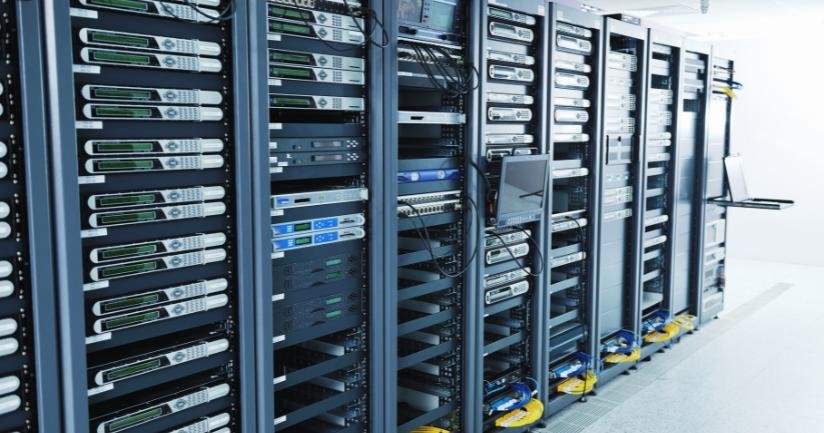
However, some business operations may require local servers, dedicated storage, high-performance computing systems or specialized networking equipment.
Before selecting server infrastructure, determine:
Organizations involved in artificial intelligence, data analytics, engineering, software development or research may also require GPU-based workstations and servers.
These systems should be selected according to actual workloads, software compatibility and performance expectations.
Companies can review server infrastructure solutions when evaluating computing requirements for their Indian operations.
Cybersecurity should be included in infrastructure planning from the beginning rather than introduced after employees start working.
A new India office may connect to international corporate networks, access sensitive business information and handle confidential customer or operational data. Therefore, endpoint security and access management must follow the organization’s global security policies.
Key security measures include:
Companies should also establish clear rules for device allocation, employee access, password management and data storage.
Every laptop or desktop should be checked against the company’s security baseline before being assigned to an employee.
For international organizations, local IT operations should coordinate with the global cybersecurity team to ensure that devices deployed in India meet the same security standards used across other offices.
Delivering a laptop to an employee does not mean the device is ready for business use. It must first be configured according to the company’s technical and security requirements.
Preconfiguration reduces setup time and provides a consistent working environment across departments.
The process may include:
For organizations deploying equipment across multiple locations, maintaining a standard configuration checklist is particularly important.
A consistent deployment process makes it easier for IT teams to troubleshoot problems, manage updates and maintain hardware across the company’s Indian operations.
Companies should also confirm software licensing and deployment permissions before installing applications on corporate devices.
As the workforce grows, managing corporate IT equipment becomes increasingly complex. A company with offices in Delhi, Bengaluru, Hyderabad, Mumbai or Pune may need to coordinate hundreds of laptops, desktops, monitors and networking devices.
Without a centralized asset management process, tracking equipment ownership, location and service history can become difficult.
Every device should be recorded in a central asset register containing information such as:
Companies should also establish an equipment movement process. Whenever a device is transferred between employees, departments or office locations, the asset register should be updated.
A centralized asset tracking system improves accountability and helps IT managers understand equipment availability, utilization and replacement requirements.
While laptops and desktops receive most of the attention during office planning, supporting equipment is equally important for daily operations.
Employees may require external monitors, keyboards, mice, docking stations, headsets and other accessories depending on their responsibilities.
Meeting rooms also need appropriate technology to support communication between the India office and global teams.
Consider including:
Companies should identify these requirements department-wise and prepare a consolidated equipment list before office operations begin.
For hybrid teams and international meetings, reliable conferencing equipment can improve communication and reduce technical interruptions.
A new office needs a clear process for handling hardware failures, software issues, connectivity problems and device replacement requests.
Without defined support responsibilities, even minor technical problems can affect employee productivity.
Before opening the office, establish:
International companies should also determine how local IT teams will coordinate with global headquarters.
For organizations using externally managed equipment or infrastructure partners, support responsibilities and service expectations should be documented in advance.
Rental Plaza’s Enterprise Support and SLA solutions can be reviewed when planning coordinated support requirements for corporate computing, networking and data centre infrastructure.
Opening a new office involves several financial commitments, including office interiors, recruitment, software, connectivity and equipment.
Companies should evaluate their hardware procurement strategy according to workforce growth, project duration, equipment requirements and budget priorities.
Traditional purchasing may be appropriate for long-term standardized infrastructure. However, flexible equipment arrangements can also be useful when employee numbers are uncertain, project teams are temporary or multiple locations need to become operational within a short period.
A hybrid model may combine:
The objective is not simply to reduce initial spending. It is to select an equipment model that provides the right balance of availability, operational control, flexibility and long-term cost planning.
International organizations can explore IT equipment solutions for companies operating in India when evaluating their local infrastructure requirements.
Some international companies establish their first Indian office in one city and gradually expand to other business locations.
Others may launch operations simultaneously across multiple cities to support recruitment, customer operations or distributed development teams.
In both situations, IT deployment needs centralized coordination.
A multi-location deployment strategy should define:
For example, a company establishing teams in Bengaluru, Gurugram and Hyderabad should maintain consistent hardware standards while coordinating equipment delivery according to each office’s onboarding schedule.
Working with an enterprise-focused deployment partner can simplify coordination when equipment needs to be arranged across several Indian locations.
The infrastructure required on opening day may not be sufficient after six or twelve months.
A company starting with 50 employees may expand to 200 or 500 employees as business operations develop. If infrastructure planning only considers the initial workforce, the organization may face repeated procurement and deployment challenges.
To support expansion, companies should:
Scalability does not mean purchasing all future equipment in advance. Instead, companies should establish a flexible framework that allows additional infrastructure to be arranged when business requirements become clear.
Before employees begin working, the IT and administration teams should verify that the essential infrastructure is ready.
| Infrastructure area | Pre-opening requirement |
|---|---|
| IT planning | Confirm employee numbers, roles and hardware requirements |
| Laptops and desktops | Finalize configurations and device quantities |
| Bulk deployment | Coordinate equipment delivery and onboarding schedules |
| Networking | Test internet, Wi-Fi, switches and firewall |
| Servers and storage | Confirm computing, backup and storage requirements |
| Cybersecurity | Apply endpoint protection and access policies |
| Software | Install approved applications and updates |
| Asset management | Create asset records and employee allocation details |
| Accessories | Arrange monitors, docking stations and peripherals |
| Meeting rooms | Test conferencing and presentation equipment |
| Technical support | Define escalation and replacement procedures |
| Multi-city operations | Coordinate location-wise deployment |
| Future expansion | Prepare a scalable infrastructure plan |
Opening an office in India requires more than securing workspace and recruiting employees. Businesses must ensure that their technology environment is prepared to support daily operations from the beginning.
Corporate laptops, desktops, servers, networking, cybersecurity, software configuration, asset tracking and technical support should all be included in the pre-opening infrastructure plan.
For international companies, GCCs, MNCs and growing businesses, centralized coordination is especially important when equipment needs to be deployed across multiple Indian cities or in phases.
Rental Plaza supports corporate IT equipment requirements through laptops, MacBooks, desktops, workstations, servers and networking infrastructure for business deployments across India.
Whether your organization is preparing its first India office, expanding a GCC or onboarding a large workforce, planning equipment requirements in advance can help establish a more organized and scalable technology environment.
Planning to open or expand your India office in 2027? Connect with Rental Plaza to discuss your corporate IT equipment requirements and enterprise deployment plans.