





India has become an important destination for multinational companies establishing Global Capability Centres (GCCs). Organizations are expanding their Indian operations to build technology teams, manage business processes, support global operations and develop specialized capabilities in areas such as artificial intelligence, software engineering, finance, analytics and research.
However, establishing a GCC is not simply about hiring employees and arranging office space. As the workforce grows from an initial team of 50 employees to 500 or even 1,000 employees, the company’s IT infrastructure must grow alongside it.
Laptops, desktops, workstations, servers, networking equipment, cybersecurity systems and technical support all become essential components of daily operations.
A company that begins with a small team may initially manage its IT requirements through a limited number of devices and internal resources. But as hiring accelerates, managing hardware independently can become complicated. Without proper planning, organizations may experience device shortages, inconsistent configurations, onboarding delays, security gaps and difficulties tracking equipment across multiple locations.
For international companies planning GCC expansion in India, a scalable IT infrastructure strategy is essential.
This guide explains how businesses can plan, deploy and manage IT infrastructure as their GCC grows from 50 to 1,000 employees.
The first step is to create an IT infrastructure roadmap based on the company’s expected growth.
Instead of planning only for the initial workforce, businesses should estimate their infrastructure requirements over the next 12 to 24 months.
For example, a company may begin with 50 employees in Bengaluru, expand to 200 employees within six months and eventually reach 1,000 employees across Bengaluru, Hyderabad and Pune.
Its infrastructure strategy should account for this expansion from the beginning.
The roadmap should include:
This approach helps management identify future requirements before they become urgent operational problems.
A growing GCC should expand its IT infrastructure in planned stages rather than arranging all equipment at once.
Different workforce sizes create different operational requirements.
At this stage, the company is establishing its initial presence in India.
The infrastructure requirements may include:
The priority is to establish a secure and functional working environment.
Companies should also define standard laptop configurations and device allocation procedures before the first employees join.
As recruitment increases, IT teams must manage a larger number of devices and employee onboarding activities.
Infrastructure planning should now include:
At this stage, manual equipment tracking may become difficult. Companies should begin using a centralized inventory or IT asset management platform.
A GCC with several hundred employees requires more structured infrastructure management.
The company may now have different departments, multiple office floors and specialized technical teams.
Important requirements include:
IT teams should also review hardware utilization to identify underused equipment and future capacity requirements.
At this stage, infrastructure management becomes a major operational responsibility.
Companies need a coordinated system for managing hundreds of devices, employee access, security policies, office connectivity and hardware replacements.
Infrastructure planning may include:
The objective is to maintain consistent IT operations while supporting continued workforce expansion.
A growing GCC will generally have employees working across different business functions. Providing the same laptop configuration to every employee may not be the most effective strategy.
Hardware requirements should be based on job responsibilities and application workloads.
HR, finance, operations, sales and administration employees generally require business laptops suitable for documentation, spreadsheets, presentations, communication and enterprise applications.
Typical configurations may include:
Developers may require higher processing power, memory and storage depending on their tools, applications and development environments.
Suitable configurations may include:
AI engineers, machine learning specialists and data scientists may require GPU-enabled laptops, high-performance workstations or dedicated GPU servers.
Their infrastructure requirements should be evaluated separately based on model development, training, inference and data processing workloads.
Employees working with CAD, 3D modelling, rendering and video production may require specialized workstations with powerful processors, dedicated graphics and higher memory capacity.
A role-based hardware strategy ensures that employees receive equipment suitable for their work while helping the company manage its overall IT budget.
As the workforce grows, laptop deployment should become a repeatable business process.
Companies should not treat every new employee joining as an individual equipment procurement activity.
Instead, IT teams should establish approved laptop configurations for different job roles and maintain a deployment schedule based on HR hiring forecasts.
The process should cover:
For example, when a GCC plans to onboard 100 employees in one month, the IT team should receive the joining schedule in advance and prepare devices in batches.
Preconfigured laptops can help reduce last-minute setup work and create a more consistent employee onboarding experience.
Businesses can explore corporate laptop solutions for their laptop deployment requirements.
As the number of employees increases, network infrastructure must support a larger number of connected devices and business applications.
A network that works for 50 employees may not be sufficient for an office with 500 or 1,000 employees.
Companies should assess:
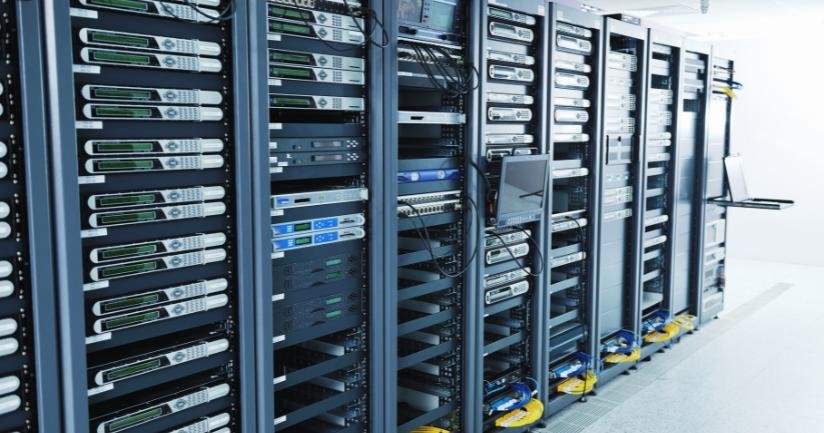
GCCs supporting software development, financial operations, analytics or global business applications may also require specialized server infrastructure.
Businesses should evaluate whether workloads are better supported through cloud platforms, on-premises servers or a hybrid model.
The decision should consider security, performance, application requirements, operational complexity and long-term costs.
Infrastructure should be designed with future capacity in mind rather than repeatedly upgraded after employees experience performance problems.
Managing 50 devices is relatively straightforward. Managing 1,000 devices across multiple departments and locations requires a structured asset management system.
A centralized asset register helps the IT department maintain visibility over the company’s equipment.
Every corporate device should have a unique asset identification record containing:
Companies should also track devices that are stored, under repair, available for allocation or awaiting employee handover.
As the GCC grows, asset tracking should ideally be integrated with endpoint management and internal IT service management systems.
This makes it easier to manage equipment transfers, employee exits, audits and replacement requirements.
A growing GCC handles increasing volumes of company information, customer data, employee records and internal business documents.
As more employees and devices are added, the organization’s security requirements also become more complex.
Cybersecurity should therefore be included in the initial infrastructure roadmap.
Important measures include:
Install approved endpoint security software on all corporate laptops and desktops.
Enable encryption according to company security policies to protect data stored on devices.
Provide access based on employee roles and responsibilities.
Use approved authentication methods to strengthen access to business applications.
Maintain operating system, firmware and application updates.
Use appropriate firewalls, secure Wi-Fi and network segmentation.
Ensure that device access, user accounts and company information are handled according to documented offboarding procedures.
A consistent security framework should apply to all offices, departments and employee groups.
Many international companies initially establish a GCC in one Indian city and later expand into other locations.
This creates additional challenges for equipment deployment, inventory tracking and technical support.
For example, a company may initially operate in Bengaluru and later establish teams in Hyderabad, Pune, Chennai or Delhi NCR.
Its IT infrastructure strategy should support centralized management while allowing local deployment coordination.
Important considerations include:
A standardized approach reduces differences between offices and allows global IT teams to maintain better control over their Indian operations.
Companies planning multi-city expansion can explore enterprise IT solutions for coordinated corporate equipment requirements.
As the number of employees increases, technical support becomes an important part of everyday GCC operations.
Hardware failures, software issues, connectivity problems and device replacement requests can affect employee productivity if there is no defined support process.
Companies should establish:
Businesses should also evaluate the need for spare laptops and other equipment based on operational requirements.
For example, a company with 1,000 employees may need a planned replacement strategy to ensure that critical teams can continue working when a device becomes unavailable.
Support responsibilities and service expectations should be documented clearly.
Companies can review Enterprise Support SLA arrangements when planning maintenance, escalation and replacement coordination.
One of the major financial decisions during GCC expansion is how to arrange the required IT equipment.
Purchasing all laptops, desktops and specialized systems may provide direct ownership, but it can also require significant upfront investment.
This may become challenging when employee headcount is uncertain or the company is expanding in phases.
Businesses should compare different equipment arrangements based on their operational requirements.
Purchasing may be appropriate when:
Flexible arrangements may be useful when:
Some GCCs may choose to purchase equipment for permanent teams while arranging additional devices for temporary projects, training programs or expansion phases.
This approach can provide greater flexibility while maintaining ownership of selected critical infrastructure.
The right model depends on business duration, financial planning, device utilization, support responsibilities and commercial terms.
A GCC should not focus only on acquiring equipment. It must also plan how devices will be maintained, replaced, reassigned and retired.
As the organization grows, laptops and workstations will reach different stages of their operational lifecycle.
A hardware lifecycle plan should include:
Companies should review hardware utilization regularly to identify devices that are underused, outdated or unsuitable for current workloads.
A structured lifecycle strategy helps businesses avoid unnecessary purchases and maintain suitable equipment for employees.
Before expanding from 50 to 1,000 employees, management and IT teams should review the following areas:
Prepare a 12–24 month workforce growth forecast.
Estimate department-wise hardware requirements.
Define standard laptop and desktop configurations.
Plan high-performance workstation and GPU requirements.
Establish office networking and server capacity.
Prepare standardized device configuration procedures.
Implement endpoint security and access management.
Establish centralized IT asset tracking.
Plan multi-city equipment deployment.
Create IT support and replacement procedures.
Evaluate purchasing and flexible equipment models.
Establish a hardware lifecycle and refresh strategy.
Coordinate infrastructure planning with HR and procurement.
Reviewing these areas regularly helps ensure that IT infrastructure remains aligned with the GCC’s actual business growth.
As international companies expand their GCC operations in India, their IT equipment requirements can increase significantly.
Rental Plaza supports corporate and enterprise equipment requirements with laptops, MacBooks, desktops, workstations, servers and other IT infrastructure across India.
Businesses can coordinate equipment arrangements for:
Whether a company is preparing infrastructure for its first 50 employees or planning a larger deployment for hundreds of employees, equipment planning should be aligned with hiring forecasts and operational requirements.
International businesses can explore Enterprise Solutions and IT Infrastructure Solutions for International Companies to understand how Rental Plaza supports corporate equipment requirements across India.