



Remote and hybrid work has permanently changed how businesses operate. Companies today are no longer limited to hiring talent within a single city or office location. Instead, organizations are building distributed teams across multiple regions to improve productivity, reduce operational costs, and access a wider talent pool.
However, setting up a remote team is not just about hiring employees. It requires a complete IT infrastructure that ensures every employee has access to reliable devices, secure systems, and smooth connectivity from day one.
This is where corporate remote team setup with rental devices has become a practical and scalable solution. Instead of purchasing laptops, desktops, and accessories for every employee, businesses now prefer renting IT equipment on flexible terms. This approach helps companies deploy remote teams faster, reduce costs, and maintain operational efficiency in 2026.
Modern businesses are shifting toward flexible work models.
Remote teams allow companies to:
Because of these benefits, remote workforce models are now widely adopted across industries like IT, BPO, marketing, consulting, and customer support.
While remote work offers many advantages, it also comes with operational challenges.
Companies must ensure every employee has a properly configured laptop or desktop before joining.
Buying devices for remote employees requires significant upfront investment.
Managing hardware delivery to multiple cities and employees can be difficult.
Tracking, maintaining, and updating devices across remote locations increases workload for IT teams.
Remote systems must be properly secured to protect company data and internal systems.
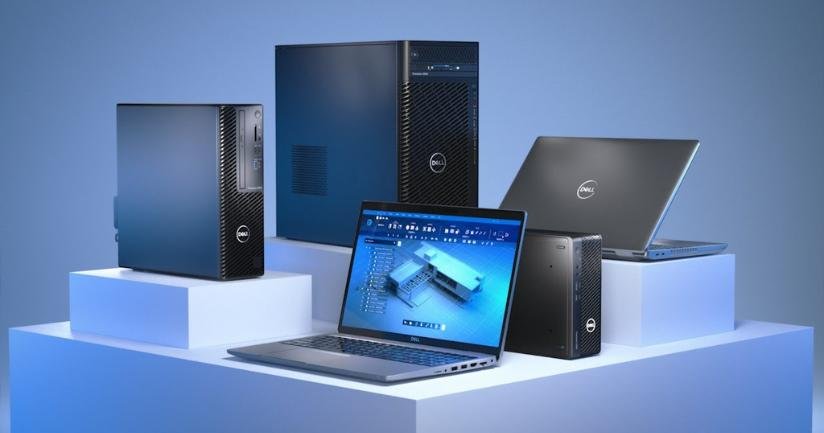
Rental devices refer to laptops, desktops, MacBooks, monitors, and accessories provided to companies on a rental basis instead of purchase.
Businesses can rent IT equipment for:
This allows companies to build remote teams without investing heavily in hardware ownership.
In 2026, enterprises are moving toward flexible IT models similar to cloud-based software usage. Rental devices follow the same concept.
Setting up remote teams requires multiple devices at once.
Rental eliminates the need for large capital investment and replaces it with predictable monthly costs.
Remote employees need devices immediately to start working efficiently.
Rental providers can deliver pre-configured devices quickly to multiple locations.
Business needs change frequently.
Companies can increase or decrease device quantity depending on hiring, projects, or workload.
Businesses already invest heavily in salaries, software tools, and operations.
Rental helps preserve working capital by converting hardware costs into manageable operational expenses.
Remote teams are often spread across cities, states, or even countries.
Rental solutions support multi-location deployment without operational complexity.
A complete remote setup includes more than just laptops.
Primary work devices for employees handling daily tasks.
Used for high-performance roles like development, design, and data processing.
Improve productivity for multitasking and long working hours.
Keyboards, mice, webcams, and headsets for communication and comfort.
Routers and connectivity tools for stable internet access.
Not all employees require the same type of device.
These users need standard business laptops.
These roles require high-performance devices.
These users require powerful systems with high RAM and graphics performance.
Identify the number of employees working remotely and their roles.
Choose laptops or desktops based on job requirements.
Select monthly, quarterly, or long-term rental plans.
Ensure devices are delivered to employee addresses or central office hubs.
Install VPNs, antivirus software, and company-approved applications.
Ensure devices are ready-to-use before the employee’s joining date.
Reduces upfront hardware investment.
Employees can start work immediately.
Less pressure on internal IT teams.
Easy to scale up or down based on workforce needs.
No asset loss or resale issues.
Properly configured rental devices improve employee efficiency by:
Security is one of the most important aspects of remote team setup.
Encryption tools protect sensitive business data.
Secure remote access to company servers.
Helps track usage and ensure compliance.
Pre-installed approved applications reduce risk.
Even rented devices need proper management.
Companies should track:
This ensures accountability and smooth operations.
Incorrect configurations can reduce productivity.
Late delivery affects onboarding timelines.
Can expose company data to risks.
Leads to shortages or inefficient resource allocation.
Modern businesses prefer flexibility and scalability over ownership.
Just like cloud services replaced physical servers, rental devices are replacing traditional IT purchasing models.
Rental solutions help companies:
A reliable rental provider should offer:
The right partner ensures smooth remote team operations.
As remote and hybrid work continue to grow, demand for flexible IT infrastructure will increase significantly.
Rental-based IT solutions are becoming a key part of modern enterprise strategies, enabling businesses to stay agile and competitive.
Corporate remote team setup with rental devices is a smart and scalable approach for modern businesses. It helps organizations reduce costs, deploy employees faster, improve productivity, and simplify IT management across distributed teams.
Whether a company is building a new remote workforce, scaling operations, or managing temporary projects, rental devices provide the flexibility and efficiency required in today’s fast-changing business environment. Businesses adopting rental-based IT strategies in 2026 are better prepared for long-term growth and operational success.